A patient uploads one photo, taps the treatment they came for, and sees it on their own face in about a minute. The result is labelled a simulation, arrives by email, and the enquiry lands in your dashboard.
They pick the treatment; they see it on their own face
Runs on your own website, in your own branding
Every enquiry captured with the image that produced it
Full-mouth restoration, simulated from the photograph on the left. An AI simulation, not a promise of any individual result.
Try it now
Run it on a photograph.
This is exactly what a visitor to your own website would use. It takes about a minute, and there is nothing to sign up for.
How it works
One photograph, three steps.
01
They upload a photo
From your website, a tablet in the waiting room, or a link your front desk sends. No app, no account.
02
They pick a treatment
Whitening, straightening, veneers, bonding, gum reshaping — one tap, and you choose which of them your practice offers.
03
You get the enquiry
Name, contact details and the simulation they were looking at when they asked, in one list you can export.
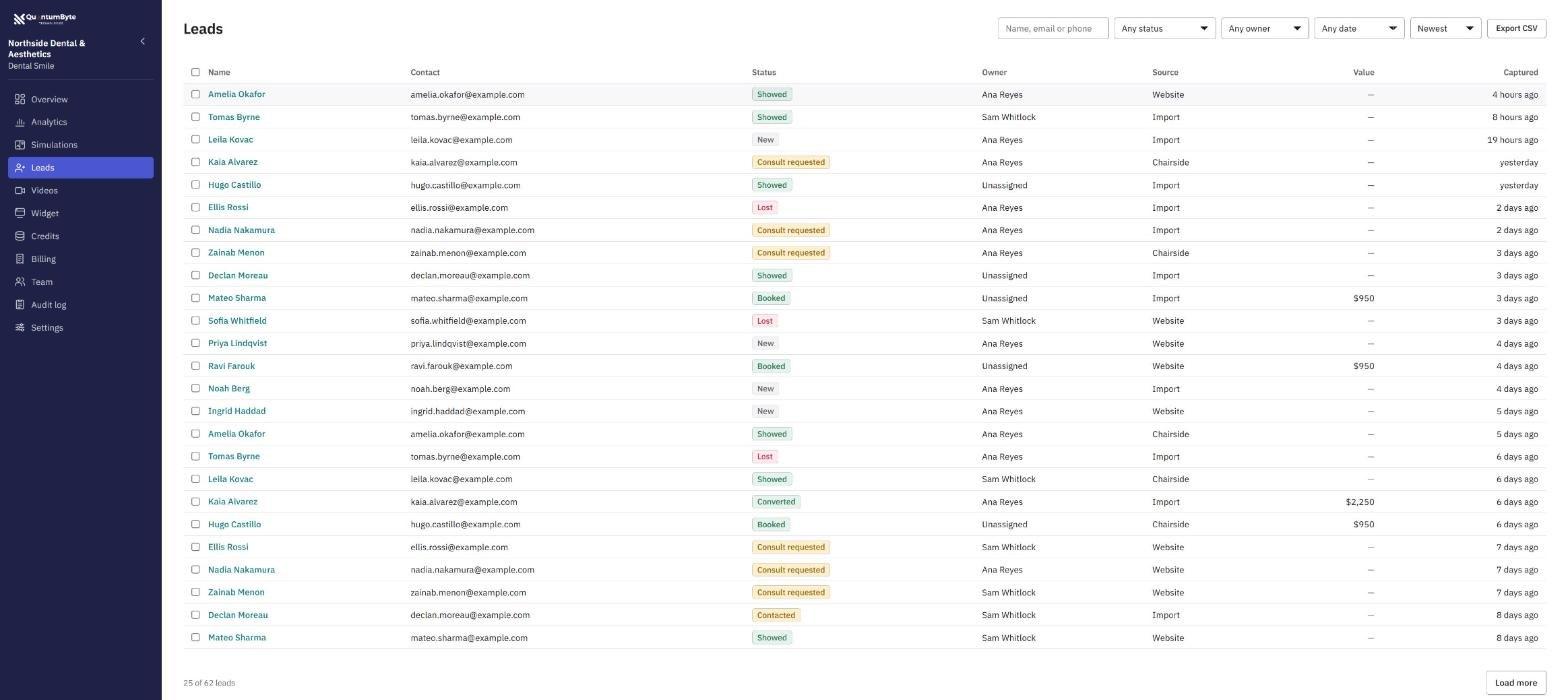
Every enquiry, in one place
The simulation is the hook. The lead is the point.
Name, contact details, where they came from and the images they were looking at when they asked — in a list your front desk can work through and export.
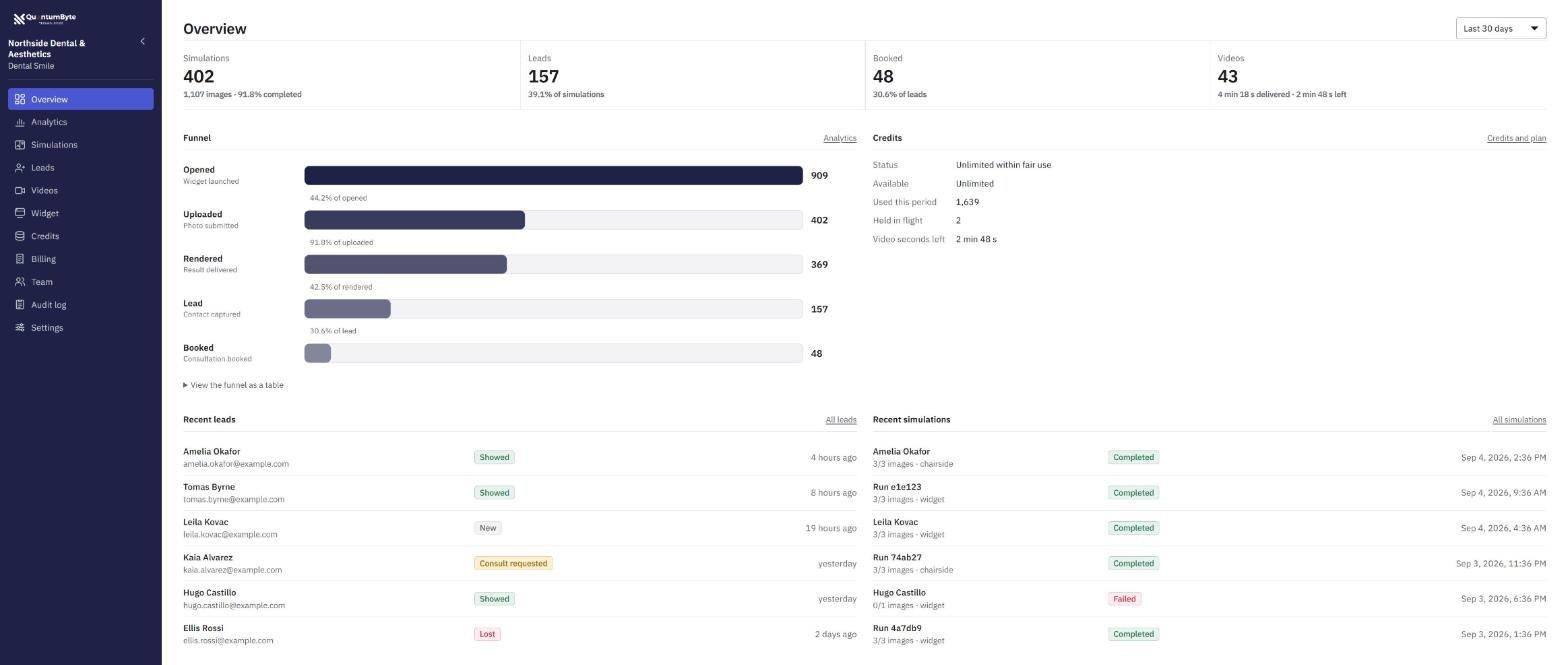
The dashboard, with example data.
Where each one came from
Website widget, waiting-room tablet or a link you sent — recorded against the enquiry, so you can tell which is worth the effort.
What they were shown
The simulation that produced the enquiry is attached to it. Nobody has to guess what the patient is expecting.
Where it went
New, contacted, consult requested, booked, converted or lost — and the value of the ones that convert.
What you actually run
It is a product, not a demo.
The simulator, the widget, the lead desk and the billing all ship together. You paste one line into your website and the rest is settings.
Pricing
Dental Smile plans
Every plan includes the website widget. Annual billing is ten months for twelve.
Starter
A single practice putting simulations on its website.
Multi-site groups: credits pooled across locations, SSO and audit logging, a named contact. From $2,495 a month — talk to us.
FAQ
Questions, answered.
No. Every image is labelled an AI simulation beside the picture, and the patient is told their own result depends on an examination. That wording is yours to edit, not to remove.
They are stored for the retention period you set — 30 days by default — and deleted after it. A patient can delete theirs from the result page at any time.
No. You paste one script tag before the closing body tag and the widget appears. Everything after that is settings.